
How to connect my billing information in DSP?
Your advertising campaigns will not start running until you set up your billing details. Follow the below steps:
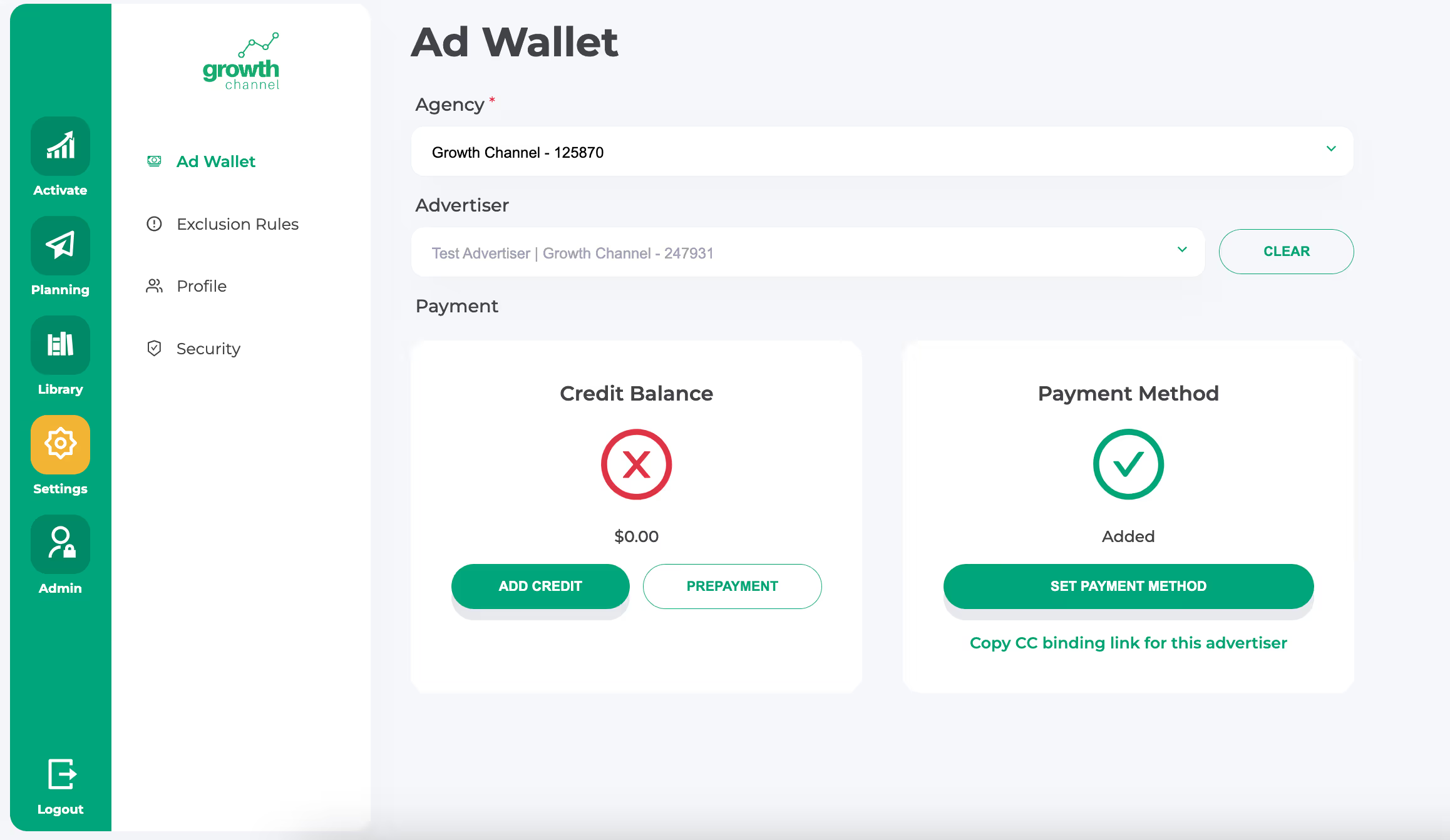
- Go to the Growth Channel Settings / Ad Wallet
- Add Payment method or Copy CC link to share with your finance team
You will be billed based on the daily advertising spend.
If you want to avoid daily charges, you can add more credit to your advertising balance in advance.
Note that the above is only applicable for the media spend budget (CPM).
Your subscription will only be billed after your free trial expires. To learn more about our Pricing, go here.
Ready to Launch Your First Campaign?
Get personalized guidance from our team to set up your campaigns for success.

Book a demo today

Still have questions?
Our support team is here to help. Reach out anytime for personalized assistance.
Contact Us